Click on the Send Email tab on your campaign page. Click on Upload CSV under Contacts within the Emails page.
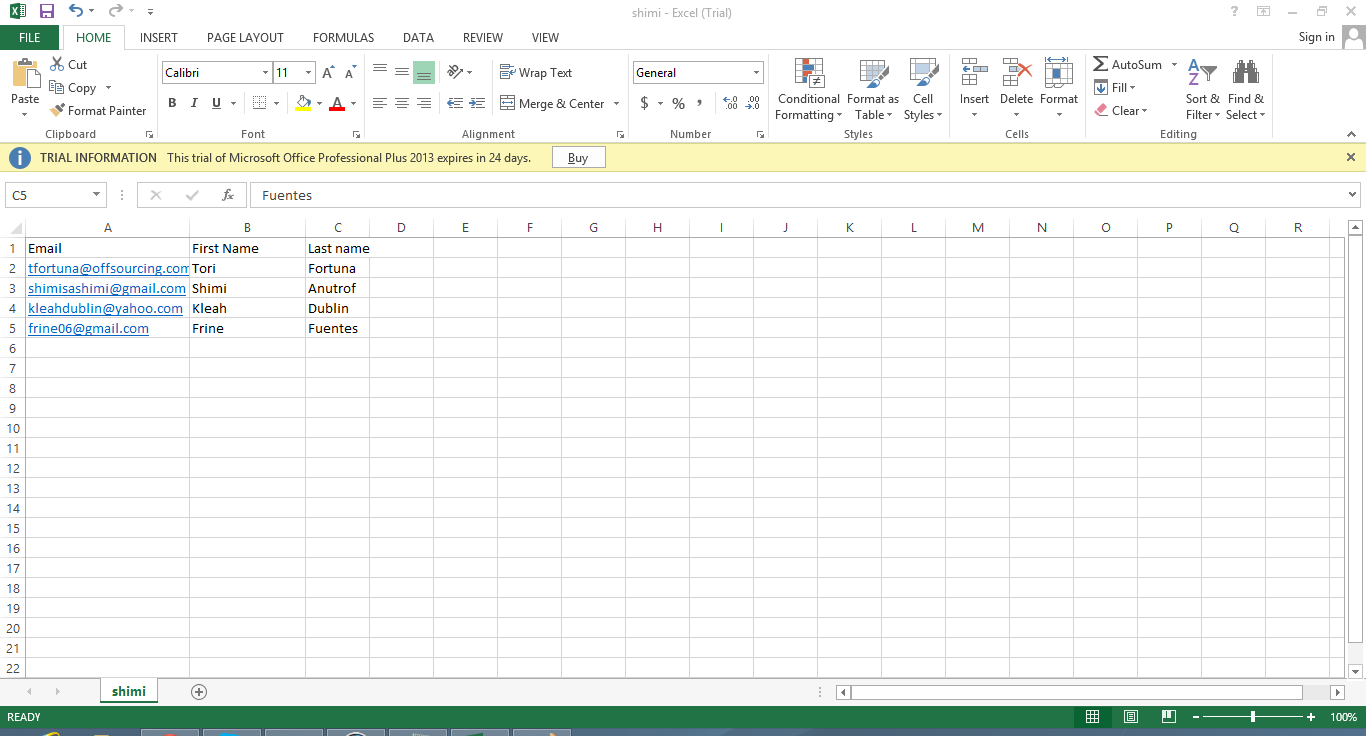
Make sure that the Excel/CSV file is in .csv and would be in the following format: Email, First Name, Last Name. You will see the list of contacts you imported from the CSV when you click on the CHOOSE RECIPIENTS button and you can choose which ones you would wish to include as recipients to your email.